


Laptops 

ASUS ROG NUC 970 Full Review: Compact And Powerful Mini Gaming PC

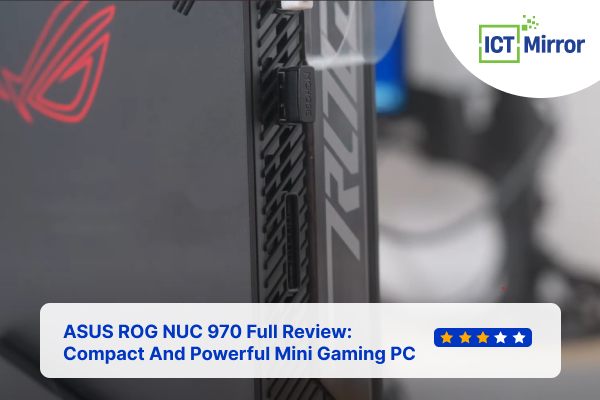
ASUS ROG NUC 970 Full Review. Image Credit: Social Media.
ASUS revealed its first NUC 970 mini gaming PC, perfect for those who want serious performance. The NUC 970 is a great option for many gamers.
So, in this ASUS ROG NUC 970 full review, let’s learn everything about what makes it remarkable.
While many people get powerful laptops, tons of gamers love mini PCs since they do not have to give up on power while having a portable PC.
Design and Build Quality
Let’s start this ASUS ROG NUC 970 full review by looking at the design and quality of this product.
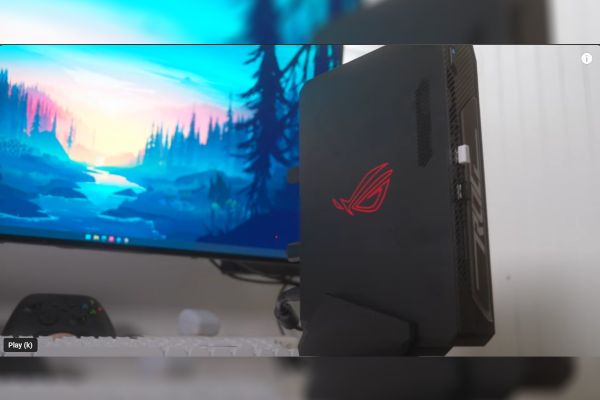
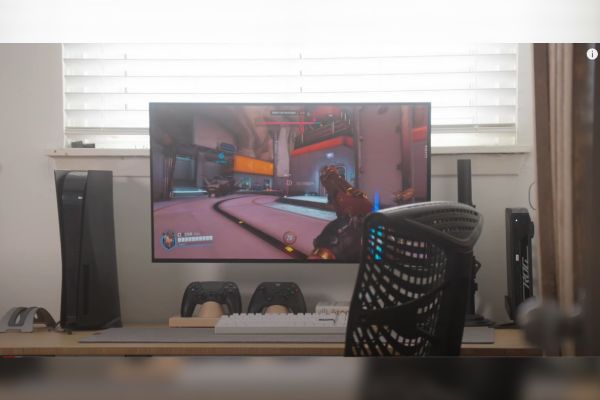
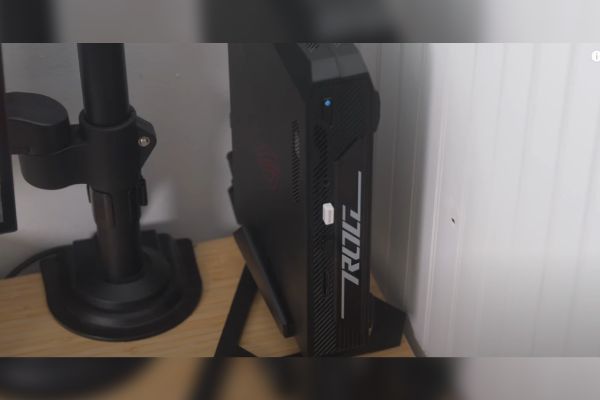
The ROG NUC 970 is part of the ROG lineup and has its iconic gaming design, with very aggressive looks and phenomenal build quality. With its small size and well-constructed chassis, it can fit any setup and takes very little desk space.
ASUS ROG NUC 970 Full Review. Image Credit: Social Media.
This mini PC has powerful specs and a sleek design that looks cool. The ROG logo gives it the ASUS look while handling any semantic work you give it. The case is made mainly of plastic, which might not be preferred, but the PC looks premium.
If you want to upgrade your RAM or customize your pc, it’s very user-friendly, and working on this pc is a piece of cake. However, getting to the motherboard and some metal shield might be tricky.
This PC is the best option for you regarding design, ease of use, upgradability, and build quality.
Hardware Performance
One of the main highlights of the ASUS ROG NUC 970 full review is its hardware.
Under that solid chassis, the NUC 970 is packing some serious specs. It can handle the most demanding tasks and run all of the new-gen games.
With a phenomenal Intel i9 processor and Nvidia RTX 4070, you can enjoy any game in the highest settings possible. This processor and GPU combined will ensure that you experience no ghosting, lag, or technical issues while gaming.

ASUS ROG NUC 970 Full Review. Image Credit: Social Media.
Additionally, the NUC 970 comes in two different versions: Intel Core Ultra 7 and RTX 4060. Although this is cheaper, the performance is still good enough for many gamers.
If you are a casual gamer, you can choose this version, but if you are a hardcore gamer, you must choose the i9 and RTX 4070 to have uncompromised performance. These processors combine 16GB of RAM and 512GB of storage, so you do not have to compromise while downloading or expanding your game library.
These features will not come cheap, which is the trend with many mini PCs. You have to pay around $2,199 for the i9 and 4070 versions since performance and portability combined are not cheap.
ASUS ROG NUC 970 Full Review. Image Credit: Social Media.
Also, if you want a cheaper version, the pc starts at $1,629. Both versions have 16GB of RAM and 512GB; therefore, if you care a lot about your storage, you should upgrade it.
ALSO READ: Ergonomic Asus TUF Gaming A14 Review: A Premium Laptop Under Budget?
Gaming Performance
Let’s talk about the performance in this ASUS ROG NUC 970 full review. You will never have to compromise on gaming performance; the specs are pretty much future-proof. The mini PC can easily handle the most recent high-end games, like BlackMyth Wukong, at 1440p in high FPS.
With ray tracing features and new optimization in the GPU, games look mesmerizing.
ASUS ROG NUC 970 Full Review. Image Credit: Social Media.
Also, editors, content creators, and professionals don’t have to worry about being unable to perform demanding tasks like editing, rendering, or other tasks. This PC can handle multitasking and high-end work without heating or lagging.
Similarly, you might love to read about Asus Fearless Pro16 2024 Specs.
Connectivity, Ports, Cooling and Noise
Many gamers are concerned about heating since it has high-end specs in such a small size. However, the PC stays cool thanks to ASUS’s amazing cooling system. The fans are pretty compared to those of other gaming laptops or PCs.
If you do not place this computer in a cramped space but rather in a well-ventilated area, it should not have any heating issues. The ports are one of the most significant advantages of getting a portable PC.
You will have access to almost every port you need since it has two USB ports, an SD card reader, a headphone jack, HDMI, and display ports. It even has a Thunderbolt port and an ethernet cable, so you will not have to compromise on connection and connectivity.
Check out our recent Asus ROG Strix XG27UCS Review.
ASUS ROG NUC 970 Specification
Let’s look at the specifications of both variants in our ASUS ROG NUC 970 full review.
| Specification | ROG NUC RNUC14SRKU7168A0I | ROG NUC RNUC14SRKU9189A0I |
| Operating System | Windows ®11 Home 64-bit preinstalled | Windows ®11 Home 64-bit preinstalled |
| CPU | Intel® Core™ Ultra 7 Processor 155H, cTDP 40W | Intel® Core™ Ultra 9 Processor 185H, cTDP 65W |
| Chipset | Integrated | Integrated |
| Graphics | NVIDIA® GeForce RTX™ 4060 Laptop GPU 110W+25W Dynamic Boost 8GB GDDR6 Intel® Arc™ GPU2 | NVIDIA® GeForce RTX™ 4070 Laptop GPU 115W+25W Dynamic Boost 8GB GDDR6 Intel® Arc™ GPU2 |
| Memory | DRAM MODULE(DDR5)/5600/8G x 2 | DRAM MODULE(DDR5)/5600/16G x 2 |
| Storage | SSD PCIEG4/512G M.2/PERFORMANCE | SSD PCIEG4/1TB M.2/PERFORMANCE |
| Wireless Data Network | Intel® Killer™ Wi-Fi 6E (Gig+) 2×2 + Bluetooth® 5.3 Wireless Card | Intel® Killer™ Wi-Fi 6E (Gig+) 2×2 + Bluetooth® 5.3 Wireless Card |
| LAN | 10/100/1000/2500 Mbps, 2.5G Intel® LAN | 10/100/1000/2500 Mbps, 2.5G Intel® LAN |
| Audio | Realtek/ALC256 | Realtek/ALC256 |
| Front(Side) I/O Ports | 1x card reader (SD) (UHS-I) 2 x USB 3.2 Gen2 Type-A 1x 3.5mm Headset Jack | 1x card reader (SD) (UHS-I) 2 x USB 3.2 Gen2 Type-A 1x 3.5mm Headset Jack |
| Back I/O Ports | 1 x Thunderbolt 4 Type-C w/ DisplayPort 2.1 2 x USB 3.2 Gen 2 Type-A 2 x USB 2.0 Type-A 1 x HDMI 2.1 FRL 2 x DP 1.4a 1 x RJ45 LAN 1 x DC-in 1 x Kensington Lock | 1 x Thunderbolt 4 Type-C w/ DisplayPort 2.1 2 x USB 3.2 Gen 2 Type-A 2 x USB 2.0 Type-A 1 x HDMI 2.1 FRL 2 x DP 1.4a 1 x RJ45 LAN 1 x DC-in 1 x Kensington Lock |
| Dimensions (W x D x H) | 27 x 18 x 6 cm (10.62″ x 7.09″ x 2.36″) | 27 x 18 x 6 cm (10.62″ x 7.09″ x 2.36″) |
| Weight | 2.6 kg (5.73 lbs) | 2.6 kg (5.73 lbs) |
| Price | $1,629 | $2,199 |
Table Source: ASUS
Check out Asus ROG Strix G16 G614JIR-XS96 Specs.
Pros and Cons
To round off our ASUS ROG NUC 970 full review, let’s examine the pros and cons of this product.
| Pros | Cons |
|
|
Table Source: ASUS
One of the things that could be a major con of this procut is its price tag. But looking at the port selection, solid performance and build quality, this product makes up to its flaws with its specs alone.
The Verdict
Overall, the ASUS ROG NUC 970 full review is very favorable due to its potential and practicality.
The ASUS ROG NUC 970 is a fantastic choice for gamers looking for a powerful, compact PC. Its impressive performance, sleek design, and excellent build quality make it a standout option.
If you want a portable PC, have a small setup, or want to keep your setup clean without compromising on gaming power, you should consider this product. Since ROG NUC 970 can be upgraded and already has good specs, this PC is a future-proof investment.
FAQ’s
Q: What is the rog nuc?
A: ROG NCU is a mini gaming PC from ASUS.
Q: What is ASUS ROG good for?
A: ROG, The Republic of Gamers, is one of ASUS’s most extensive gaming gear lineups.
Q: Is TUF and ROG the same?
A: TUF Gaming laptops are cheaper than ASUS ROG laptops. TFU is entry-level, while the ROG series is mostly popular with hardcore gamers.
ictmirror.com contains affiliate links. Meaning ictmirror.com receives commissions for purchases made through those links, at no cost to you.

Did you notice an error ?
Please help us make corrections by submitting a suggestion. Your help is greatly appreciated!
Top Related Articles
There are many variations available but the majority