


Laptops 


HP ZBook Firefly 14 G11 Review: Best Performance For Creators

By Sam Kendrick - Aug 29, 2024 | Updated On: 29 August, 2024 | 5 min read
By Sam Kendrick , 5 min read - Aug 29, 2024
Updated On: 29 August, 2024

HP ZBook Firefly 14 G11 Review. Image Credit: Social Media.
The HP ZBook Firefly 14 G11 is a classic from a design standpoint, with an understated premium look. It is an ultra-reliable companion for creators, and its many customization options are causing hype among users.
So, to find out if this device is worth it, let’s explore the detailed HP ZBook Firefly 14 G11 review. We will look at the details of this HP portable workstation brand and see if it suits your needs and requirements.
HP ZBook Firefly G11 is available in both Intel and AMD variants. It is a beautiful choice for content creators and individuals who value performance over battery life.
Design and Build Quality
One of the exciting things about the ZBook Firefly is the design. It’s an enterprise user’s dream, or if you know a student in your life, this squared-off corner and silver-and-black palette blend into the background. It exudes professionalism.
Clean lines and a minimal aesthetic make the laptop professional, yet stylish. The subtlety of the design is sophisticated as it makes this piece look top-notch. The finish is also fingerprint- and smudge-resistant to keep it looking clean and new after extended use.
In 2024, HP introduced excellent laptops, such as the Elitebook Ultra G1q, Omnibook Ultra AMD Ryzen, and Elitebook 865 G10.
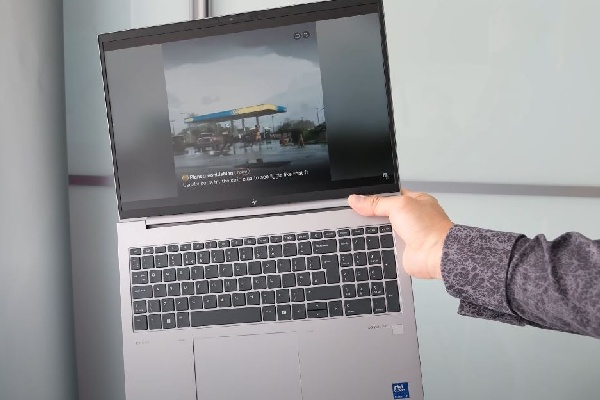
HP ZBook Firefly 14 G11 Review. Image Credit: Social Media.
Both the keyboard and the touchpad are made from very high-quality material. The keyboard is tactile enough to help one type comfortably and precisely for a longer time. Meanwhile, the touchpad is bigger and more responsive, so multi-touch gestures are easy.
Equipped with a solid build, class-leading finish, and comfortable keyboard and touchpad, the notebook will be an ideal supplementary machine for working professionals who constantly move around with heavy work demands.
The webcam is 5MP, and Poly Studio powers the dual stereo speakers. From an expansion perspective, HP supplies:
- A full-sized HDMI 2.1 video-out port
- A full-sized USB Type-A port (5 Gbps)
- Two Thunderbolt 4/USB4 Type-C ports (40 Gbps, USB Power Delivery, and DisplayPort 1.4).
You will also find a headphone/microphone jack. There’s also a security slot and a space for the nano sim card for those who upgrade to that option.
Power and Performance – Intel
The laptop comes in a delightful array of flavors, which we have covered in our HP ZBook Firefly 14 G11 review.
The Firefly 14 offers a variety of Intel processors and configuration options, allowing users to choose the one that best suits their needs.
The processor variants include: Intel Core Ultra 7 165U, 165H, 155U, 155H, 5135U, and 135H processors. Of these, the 165U and 165H are the two most powerful ones.
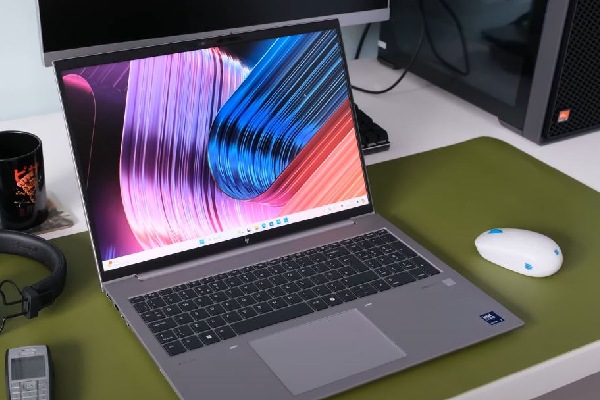
HP ZBook Firefly 14 G11 Review. Image Credit: Social Media.
Base Model: If you’re on a tight budget but still wanting that ZBook experience, you can take up the base model with an Intel Core Ultra 5 125U CPU, integrated graphics, 8GB of RAM, 512GB of storage, and a 14-inch WUXGA Anti-Glare display.
The base model might be your trusty sidekick if you’re always on a tight schedule, meeting after meeting with numerous clients across the city. It’s light, efficient, and won’t break your back.
Mid-Tier Marvel: If you are still considering budget but want something better than the base model, the mid-tier ZBook might satisfy you. It has an Intel Core Ultra 7 165H processor, an Nvidia RTX A500 GPU, 32GB memory, and a 512GB NVMe solid-state drive. The mid-tier variant is where versatility shines.
Whether you’re editing videos, running simulations, or managing spreadsheets simultaneously, this ZBook won’t feel a thing.
ALSO READ: Is HP OmniBook Ultra AMD Ryzen AI PC The Most Innovative Yet?
The Perfect Variant with Intel Processors
Here’s where the magic happens. HP lets you customize your ZBook to fit your exact needs. Want more RAM? Done. Need a larger SSD? No problem. Dreaming of a 4K touch display? You got it.
If you want the best performance without sacrificing budget, go for the Intel Core Ultra 7 165H. It’s the engine that roars.
This compact workhorse packs an Intel Core Ultra 7 165H processor (16 cores, up to 5.0GHz turbo), an Nvidia RTX A500 GPU, 32GB of dual-channel RAM, and a 1TB SSD. You can also get the Touchscreen option.
AMD processor
Similarly, the HP ZBook Firefly 14 G11 offers customization options with AMD Ryzen processors. This allows you to build your device according to your specific needs. The best option, however, depends on your use case.
You can get the HP ZBook Firefly 14-inch G11 with AMD Ryzen Pro 5000 series processors. You can install several options on your G11.
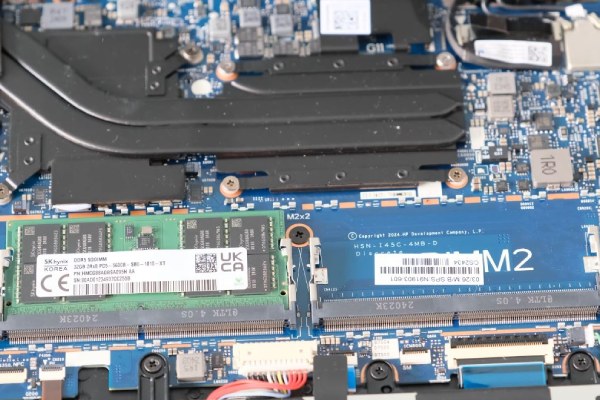
HP ZBook Firefly 14 G11 Review. Image Credit: Social Media.
There are many good options:
- Ryzen 3 Pro 5450GE to the Ryzen 5 Pro 5650GE
- Ryzen 7 Pro 5850U
- High-end Ryzen 9 Pro 5900HX
But what’s best for you?
The Ryzen 3 Pro 5450GE works well on light tasks, while the Ryzen 5 Pro 5650GE offers more juice for heavy tasks and multitasking. Then comes the Ryzen 7 Pro 5850U, designed for demanding professional work.
Finally, the Ryzen 9 Pro 5900HX is a high-performance option for resource-intensive tasks.
If you want more information on AMD processors, you can read about AMD 1st Zen.
HP ZBook Firefly 14 Display
The HP ZBook Firefly review has multiple displays to accommodate various workflow demands. Its 14-inch DreamColor display is like a digital canvas waiting for you to paint on.
During our HP ZBook Firefly 14 G11 review, we found out that the device has touch screens and other customization options.
They also have an HP DreamColor Display with a 100% DCI-P3 color gamut and a refresh rate of 120Hz, an OLED Display, a Touch Display, and an HP SureView Reflect.
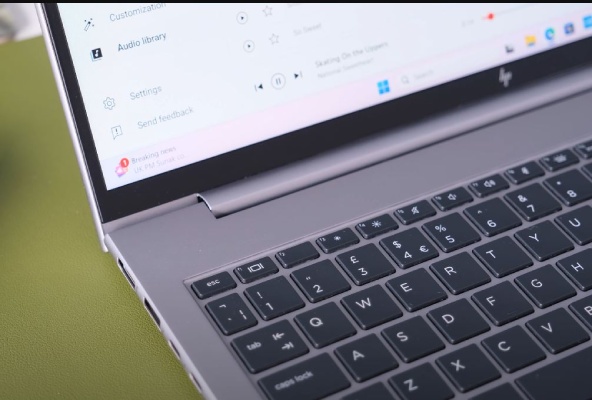
HP ZBook Firefly 14 G11 Review. Image Credit: Social Media.
The HP DreamColor Display, however, offers high-speed videos with immersive and realistic detail, topped off with smooth motion.
In addition, the 16:10 aspect ratio on these displays gives 11% more vertical content than a 16:9 aspect ratio. This allows you to put less effort into reading long blogs and PDFs.
Specifications table
The HP ZBook Firefly 14 G11 Review has the following specifications:
| Specifications | Details |
| Class | Workstation |
| Processor |
|
| Display |
|
| Storage |
|
| Memory | Upto 64GB |
| Operating System | Windows 11 Pro, Windows 11, Windows 11 Home |
| Battery | 56Wh, 3-Cell |
| Dimensions | 315.7 x 224.4 x 19.2 mm (12.43″ x 8.83″ x 0.76″) |
| Connectivity |
|
| Audio |
|
Table Source: PCMAG
These wide varieties of options available make it suitable for a wide range of professional and creative work.
Pros and Cons
We concluded the following list of pros and cons upon our HP ZBook Firefly 14 G11 review.
| Pros | Cons |
|
|
Table Source: PCMAG
Hope our HP ZBook Firefly 14 G11 review helped you make your decision.
The Verdict
In the grand arena of mobile workstations, the ZBook Firefly 14 G11 puts up a good fight. It’s got the looks, the brains, and that DreamColor screen.
Similarly, the bunch of customizable options is the cherry on top. You can customize your device according to your needs and budget.
Our HP ZBook Firefly 14 G11 review confirms that its diverse capabilities make it a desirable choice for many users.
This laptop is designed for pros that need better performance, so it runs a suite of capabilities like AI-accelerated performance, pro-level graphics, and up to 64 GB of RAM. The laptop also touts a 5 MP camera, AI noise suppression software, and options for both Wi-Fi 6E or 5G connectivity.
It can be one of the best devices you can buy if you can customize it to the fullest based on your needs.
FAQs
Q: Does HP ZBook support both Intel and AMD?
A: The HP ZBook comes in both Intel and AMD variants.
Q: What are the connectivity specifications on HP ZBook?
A: The ZBook features Wi-Fi 6E, 4G LTE, or 5G.
Q: Does ZBook have a touchscreen option?
A: Yes, ZBook has touchscreen customization.
ictmirror.com contains affiliate links. Meaning ictmirror.com receives commissions for purchases made through those links, at no cost to you.

Did you notice an error ?
Please help us make corrections by submitting a suggestion. Your help is greatly appreciated!
Top Related Articles
There are many variations available but the majority