


Laptops 

Turtle Beach Kone II Air Review: A Great Gaming Mouse For MMO

By Sam Kendrick - Sep 23, 2024 | Updated On: 23 September, 2024 | 5 min read
By Sam Kendrick , 5 min read - Sep 23, 2024
Updated On: 23 September, 2024

Turtle Beach Kone II Air Review. Image Credit: Social Media.
Your need for an MMO (Massively Multiplayer Online) gaming mouse might be fulfilled with the latest release from Turtle Beach, a company reputed for gaming peripherals.
In our Turtle Beach Kone II Air review, we will discuss this brilliant mouse’s offerings and functionalities in depth.
The mouse is a trusted name in the gaming accessories market due to its unbelievable comfort and gaming performance. Let’s discover whether Turtle Beach’s mouse lives up to its reputation.
About Turtle Beach Kone II Air – A Great MMO Companion
Turtle Beach’s Kone II Air gaming mouse is a multiplayer online (MMO) gaming powerhouse. Its wireless capabilities and impressive features offer a seamless gaming experience for gamers, especially MMO enthusiasts.
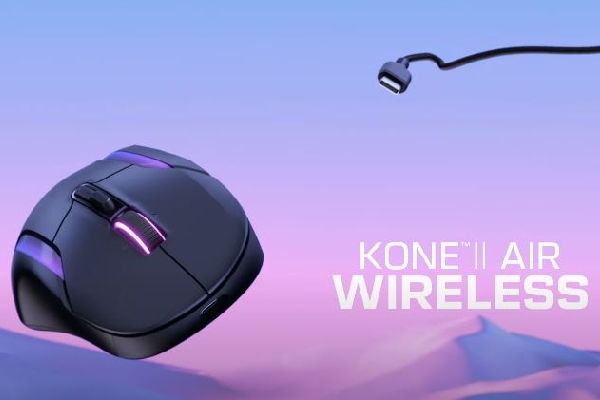
Turtle Beach also launched the Kone II Air along with Kone II. Kone II is a fully wired mouse with Titan Optical switches and intelligent RGB lighting that runs up the sides and wheel.
Turtle Beach Kone II Air Review. Image Credit: Social Media.
But we are here to talk about the elder brother, the Turtle Beach Kone II Air, which has also captured the attention of gamers and casual users.
Its exceptional battery life potential, unique design, and top-notch features make it a formidable contender in the competitive gaming mouse market.
This Turtle Beach Kone II Air review delves into its design features, functionality, and overall performance to determine its suitability for MMO enthusiasts.
Appealing Design and Ergonomics
The Turtle Beach Kone II Air feels sleek and modern, appealing to game-heads without sacrificing comfort.
The mouse’s enhanced matte finish provides a perfect fit and smooth grip, bringing ergonomic benefits and extended comfort in long, heavy gaming sessions.
Adding the grip tape to the package brings another layer of customization regarding surface texture and handling.
The mouse’s lightweight nature—110 grams—ensures swift and seamless maneuverability, a crucial feature for MMO gamers engaging in frantic combat situations and fast-paced gameplay.
Turtle Beach Kone II Air Review. Image Credit: Social Media.
Moreover, Turtle Beach has given much thought to maintaining an ergonomic shape for medium to larger hands and accommodates all grip styles, including claw, palm, and fingertip.
Similarly, adding grip tape is another feature to be liked about the Kone Air II. It further enhances control, making it a versatile option for diverse gaming preferences.
Its symmetrical design ensures comfort and accessibility for left- and right-handed users, promoting inclusivity in the gaming community.
ALSO READ: Best 6 G-Series MidPriced Logitech Gaming Mouses
Performance and Functionality
At the core of the Turtle Beach Kone II Air lies a seamless integration of cutting-edge technology and user-centric functionality. The mouse is heavily advertised for its Titan Optical switches and the 26,000dpi 650ips Turtle Beach Owl-Eye sensor.
These two features combined provide uncompromising performance with the precision and responsiveness essential for gaming under pressure.
Moreover, the mouse also includes PTFE skates on the bottom, further enhancing its ability to glide effortlessly across various surfaces. Thus, you will have minimum friction while holding your gaming accessory.
Turtle Beach Kone II Air Review. Image Credit: Social Media.
Notably, the functionality offered by the Kone II Air’s multi-connectivity options—including cable, Bluetooth, and 2.4GHz wireless—addresses the caters to gaming preferences.
The long-lasting switch durability, boasting a 100M click lifecycle, ensures enduring performance, mitigating the need for frequent replacements and maintenance.
The Kone II Air’s 26k DPI/650 IPS optical sensor delivers dynamic accuracy, empowering gamers to navigate virtual worlds with unparalleled precision and speed.
Battery Life and Performance
Turtle Beach’s endeavor to curate a truly immersive gaming experience extends to the Kone II Air’s impressive battery life. The mouse claims up to 350 hours of battery life when using Bluetooth and 130 hours of extensive gaming with the wireless transmitter.
As a result, the mouse ensures uninterrupted gaming sessions, delivering the freedom and flexibility MMO gamers seek. Nonetheless, potential variations in battery life from customized settings, such as RGB lighting and other configurable options, must be considered.
Moreover, the charging features a lightweight, braided PhantomFlex charging cable, which ensures the Kone Air II is reached quickly after prolonged gaming.
Kone II Air is a Feature Packed
Turtle Beach made almost no compromises on this midrange mouse. It packs a solid punch with characteristics even some premium-range mice don’t. Some noteworthy features make it one of the best midrange mice for under $120.
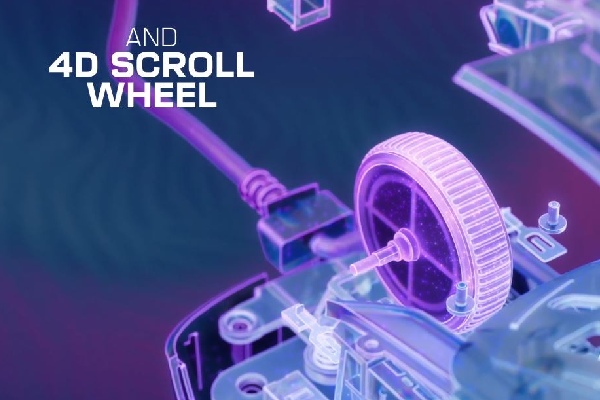
Multi-Functional 4D Free-Spin Scroll Wheel: First and foremost, we must discuss the scroll wheel. Unlike the typical mouse, the wheel can slide left and right, giving gamers extra customizable controls.
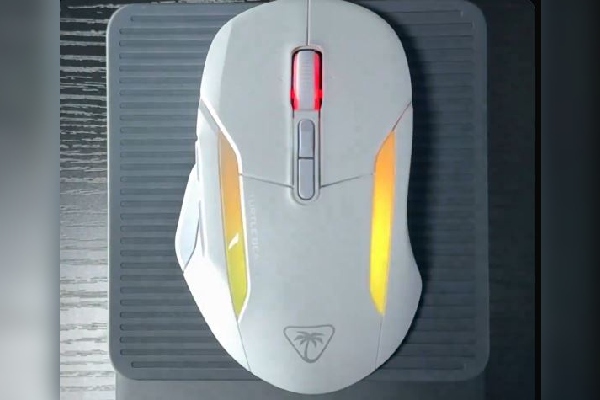
RGB Lighting: The dual-zone programmable RGB illumination adds a visually stunning aspect to the Kone II Air, allowing gamers to personalize their setup and express their style. It blends minimalism, illumination, and aesthetics.
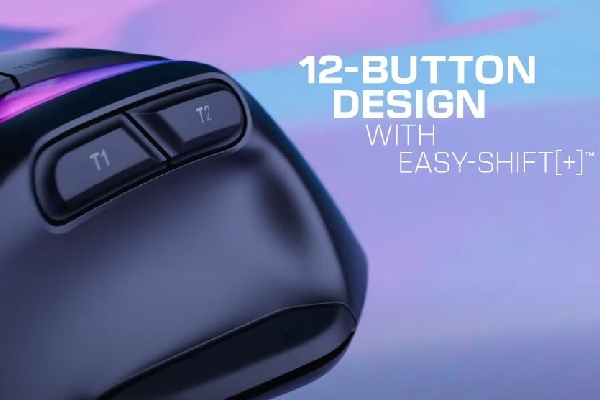
Multi-Button Design: The mouse’s 12-button design is more than enough for modern games. Moreover, the buttons feature Easy-Shift [+] button duplicator technology, expanding Kone II Air’s buttons and 4D scroll wheel with tilt capability into 21 customizable functions. This can come in very handy on
Turtle Beach Kone II Air Review. Image Credit: Social Media.
NVIDIA Reflex: Yes, you heard that right! For under $120, you can get an NVIDIA reflex-compatible mouse. It helps reduce latency up to sub 25ms, enhancing snappy reactions.
Kone Air II Software Support: The Surf II app offers a range of functions, such as RGB customizations, adjustment of the DPI settings, configuration of button assignments, and firmware updates, ensuring that users have access to the latest features and improvements for their Kone II Air mouse.
Combined with exciting prices, these features make the Kone Air II almost unbeatable.
Kone II Air Specifications
Here are the Kone II Air specifications, which look promising on and off paper.
| Specification | Details |
| Device | Turtle Beach Kone II Air |
| Connectivity |
|
| Dimensions | Length: 130.2mm Height: 44.1mm Width: 82.6mm |
| Weight | 110g |
| Movement Detection Technology | Optical (Owl-Eye 26K optical sensor) |
| Battery Life | Up to 350/130 hours (Bluetooth/Wireless) |
| Buttons | 21 programmable functions |
| Scroll Wheel | 4D Free Spin with Tilt |
| DPI | 26,000 DPI Max/ 50 Min |
| Switches | 100M Click Lifecycle |
| Glide Material | Pure, heat-Treated PTFE |
| RGB Illumination | Dual-zone programmable |
Table Source: Amazon
These specifications are very appealing to gamers and casual users. But what are the pros and cons of these specs?
Pros and Cons
Despite catering to users’ different needs, the Knone II Air does have some flaws, which are as follows.
| Pros | Cons |
| Ergonomic Design Decent Battery Impressive Features for Gaming Stress-free movements | Little expensive than competitors Heavier |
The cons of Kone Air II might not be a deal breaker. However, if the price is a decisive factor and you want the features of Kone Air II while willing to compromise the wireless feature, you can go for the wire Kone Air II, which you can get for less than $70.
Similarly, you can read about the Best 5 Razer DeathAdder Stunning Mouse to explore other options.
Our Verdict – Should you Spend on this?
In conclusion, the Turtle Beach Kone II Air is a powerhouse in gaming mice, especially for MMO enthusiasts. Its ergonomic design, customizable features, and exceptional battery life make it an attractive and competitive option for gamers seeking a reliable and versatile peripheral.
While its robust customization options may present a slight learning curve, the ultimate payoff is enhanced control, responsiveness, and unbridled gaming enjoyment.
There might be a better mouse for gaming in this price range, but there might be other compromises. If you are happy with the drawbacks of the Kone Air II, you will be more than satisfied with the product.
We hope our Turtle Beach Kone II Air review helped you learn everything about this gaming mouse.
FAQs
Q: Can I customize the RGB lighting on the Turtle Beach Kone II Air mouse?
A: The RGB lighting customization is limited to specific preset colors.
Q: What connectivity options are available for the Turtle Beach Kone II Air mouse?
A: The Kone II Air mouse offers both 2.4GHz wireless and Bluetooth connectivity options for enhanced flexibility.
Q: What is the maximum DPI of the Turtle Beach Kone II Air mouse?
A: The Kone II Air mouse features a maximum DPI of 26,000 at 650 IPS tracking speed.
ictmirror.com contains affiliate links. Meaning ictmirror.com receives commissions for purchases made through those links, at no cost to you.


Did you notice an error ?
Please help us make corrections by submitting a suggestion. Your help is greatly appreciated!
Top Related Articles
There are many variations available but the majority