


Laptops 

XPPen ACK08 Smart Keyboard Review: Pros, Cons, And Features!


XPPen ACK08 Smart Keyboard Review. Image Credit: Social Media.
If you are an artist and designer or simply a fellow creative who uses a drawing tablet or pad, you know how important it is to have a properly set up desk.
The XPPen ACK08 keyboard might be an essential product for those who love a comfortable and efficient workspace. In our XPPen ACK08 smart keyboard review, we will examine everything about this product.
This keyboard is designed to increase your productivity. Its amazing keyboard and trackpad are easy to connect and use.
XPPen ACK08 Smart Keyboard Review
One of the main highlights of the XPPen ACK08 smart keyboard review is its no-cable and Bluetooth connection. This keyboard is one of the best in terms of connection since you can easily connect with your tablet in seconds.
The PC mode is faster and more convenient than ever, and if you have multiple devices, its plug-and-play feature will ensure that you do not have to compromise on connection.
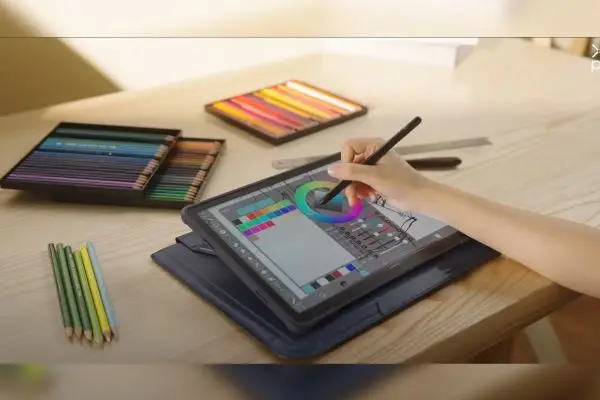
XPPen ACK08 Smart Keyboard Review. Image Credit: Social Media.
The keyboard is based on the MacBook layout, and the typing experience feels absolutely amazing. With excellent rebound feedback and a large trackpad, it is comparable to many notebooks and slim laptops.
Additionally, the keyboard is very smooth and responsive, perfect for those who love clicky yet smooth keys. Furthermore, with this keyboard, you can use your tablet like a laptop, which can be adjusted from 0° to 175°. Regarding ergonomics, this keyboard is the best option for your setup.
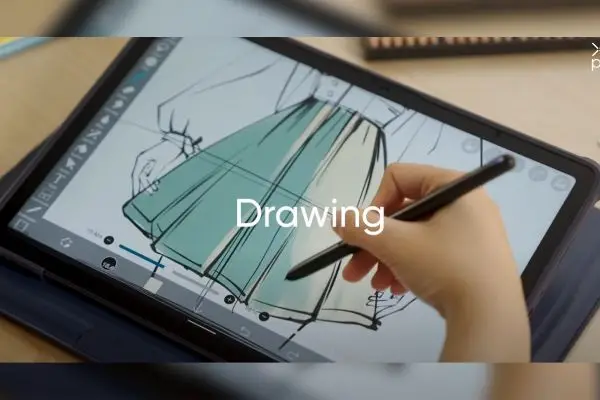
XPPen ACK08 Smart Keyboard Review. Image Credit: Social Media.
Whether you are doing quick artwork or want to handle some business emails, you can easily switch between both with this keyboard. Since it is plug-and-play and only weighs about 615 grams, it is very portable, and you can carry it around wherever your artistic journey takes you.
Key Features and Highlights of XPPen ACK08
- Full-sized keyboard with scissor-switch keys
- Large trackpad with multi-touch gestures
- Adjustable angle for comfortable typing
- USB-powered
- Lightweight for Easy Carrying
- Plug-and-play compatibility
ALSO READ: Hello Kitty X Razer Ornata V3 Tenkeyless Specs
Pros and Cons
Let’s look at the pros and cons of this product in our XPPen ACK08 smart keyboard review to find out if this is the best option for you.
| Pros | Cons |
|
|
Table Source: XPpen
This keyboard thrives with a straightforward setup, connection, comfortable typing experience, and a large trackpad.
This product is essential for those working long hours on their art projects. Similarly, those who need to do many things without adding a lot of setup gear might need XPPen ACK08.
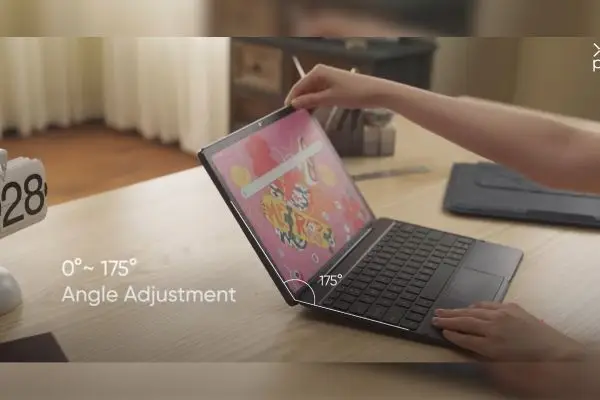
XPPen ACK08 Smart Keyboard Review. Image Credit: Social Media.
However, this keyboard doesn’t have a backlight or a built-in battery, so it might not be loved by people who work in low light.
Similarly, you might like to read about Asus ROG Azoth Extreme Keyboard.
XPPen ACK08 Specfications
Let’s look at the full specification of this product to round off our XPPen ACK08 smart keyboard review.
| Specification | Info |
| Product name | XPPen Smart Keyboard |
| Device name | ACK08-A |
| Interface | POGO Pin, Plug and play |
| Power supply method | Tablet power supply |
| Number of keys | 79 |
| Size | 280mm x 195mm |
| Weight | 615g |
| Best Sellers Rank | #174 in Computer Graphics Tablets |
| Package Dimensions | 11.46 x 8.27 x 1.14 inches |
| Price | $79.99 |
| Customer Reviews | 4.5 out of 5 stars |
Table Source: Amazon
Check out Logitech G515 Lightspeed TKL Specs.
The Verdict
XPPen has won the Reddot Award and Good Design Award, so it’s safe to say that most of its products are amazing, and XPPen ACK08 smart keyboard review is also pretty satisfactory.
This keyboard is no exception; in terms of quality, typing experience, portability, and price tag, this product has a perfect balance.
If you are looking for a fantastic keyboard to complement your drawing tablet, this keyboard will be a great addition to any artist, designer, or creative.
FAQ’s
Q: Is XPPen a Chinese company?
A: yes, the XPPen is Headquartered in Shenzhen, Chin.
Q: Is XPPen better than Wacom?
A: If you are looking for a long-term investment, Wacom might be better, but if you are on a budget, XPPen might also be a good choice.
Q: What software does XPPen use?
A: you can choose from ArtRage 5, openCanvas, or Cartoon Animator 4 Pipeline Version.
ictmirror.com contains affiliate links. Meaning ictmirror.com receives commissions for purchases made through those links, at no cost to you.


Did you notice an error ?
Please help us make corrections by submitting a suggestion. Your help is greatly appreciated!
Top Related Articles
There are many variations available but the majority