


Best 

Huion Kamvas 13 Gen 3 Review: Your Perfect Digital Canvas?
By Sam Kendrick - Oct 8, 2024 | Updated On: 08 October, 2024 | 5 min read
By Sam Kendrick , 5 min read - Oct 8, 2024
Updated On: 08 October, 2024

Huion Kamvas 13 Gen 3 Review. Image Credit: Social Media.
One device has emerged as a top choice for artists who prefer a decent drawing pad without breaking the bank: the Huion Kamvas 13 Gen 3.
Let’s discover the digital canvas’s prime features through our Huion Kamvas 13 Gen 3 review, where we will cover its impressive display, pen experience, portability, and overall value in this competitive market.
Positioned as an entry-level drawing tablet, the Kamvas 13 Gen 3 offers features that give it a premium feel without the hefty price tag. But does it deliver on its promises?
Stunning Display Quality
First of all, there is the impressive display. With a Full HD resolution of 1920×1080 and tight lamination, Kamvas 13 is designed for bright colors and excellent details, hence ideal for both professionals and artists.
Artists often value crisp display quality in their creative process, and the Kamvas 13 does not disappoint the creators. The tablet has the capacity for incredibly accurate color, resulting in realistic artwork.
Along with the accurate color, every hue and shade matters for passionate creators, and the Kamvas 13 Gen 3 confidently meets this need.
On top of that, the screen features an antiglare surface that reduces reflections, making it easier to work for extended periods, even in bright outdoors, without putting pressure on the eyes.

Huion Kamvas 13 Gen 3 Review. Image Credit: Social Media.
Some might wonder about the clarity due to pixelation in tablets as big as the Kamvas 13 Gen 3. This is not the case with this tablet; it maintains its integrity thanks to its excellent resolution and size.
However, the pen display lacks multi-touch functionality, a feature some digital artists may find beneficial for gestures and navigation. This might not be a significant drawback, but having multi-touch functionality would have been much better.
Ergonomic and Portable Design
Despite the fantastic display, the tablet is incredibly slim, lightweight, and easily fits in any laptop bag. Therefore, it has a strong portability opening, especially when you are a nomadic artist.
If you are an artist on the go, you will benefit significantly from the tablet’s portability.
The Kamvas 13 Gen 3 alleviates this issue, making it easier to move from location to location without sacrificing performance. The tablet typically comes with a stand, although it’s worth noting that it may be an additional cost for some versions, priced around $20.
The ease with which the Kamvas can be transported opens up a world of possibilities, allowing artists to take their work wherever inspiration strikes.
ALSO READ: PowerA MOGA XP7-X Plus Review: Is This Gamepad Worth Your Money?
Color Calibration and Customization
Out of the box, the Huion Kamvas 13 Gen 3 comes color-calibrated, a rare feature in budget tablets. This focus on accurate display settings can significantly enhance the user experience, as artists spend less time tweaking settings and more time creating.
But what does color calibration mean for artists? It is essential to ensure that the colors you intend to use translate accurately on-screen.
The Kamvas excels in this area, making it easier to achieve the desired aesthetic in your artwork right from the start.
Huion Kamvas 13 Gen 3 Review. Image Credit: Social Media.
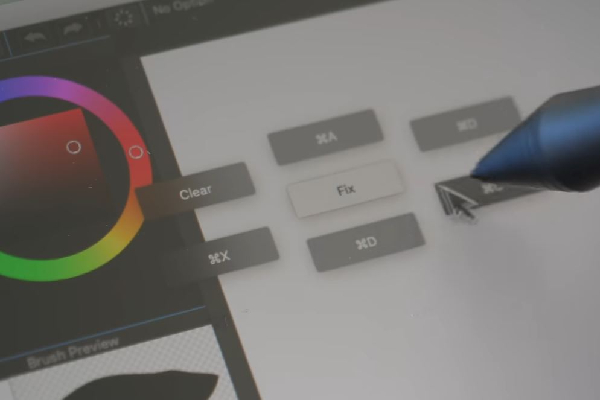
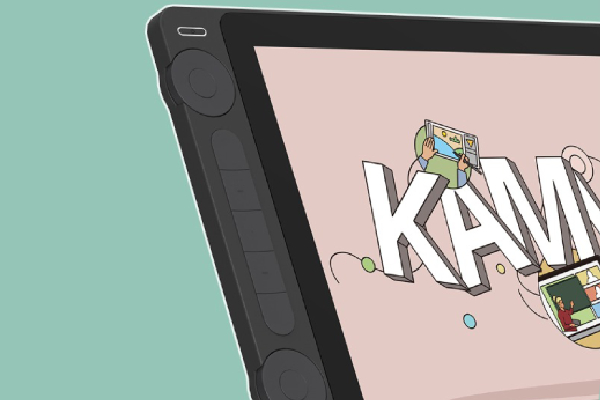
Additionally, the tablet features customizable buttons and two scroll wheels, allowing users to tailor their workflow to suit their specific needs.
This level of customization streamlines the drawing process and empowers artists to develop their shortcuts and become more efficient. The intuitive nature of the Kamvas 13 Gen 3 invites you to explore and optimize your drawing experience.
Exceptional Pen Experience
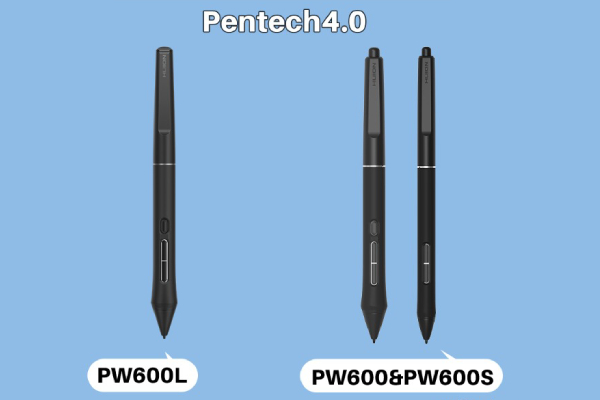
One of the most critical aspects of any drawing tablet is its pen experience. The Huion Kamvas 13 Gen 3 delivers a pen that rivals the renowned offerings of brands like Wacom, especially considering its price point.
With excellent pressure sensitivity and a high initial activation rate, users can expect smoother, more precise lines without the jitter or wave effects often criticized in lower-end models.
Why is an improved pen quality a game-changer for artists? In creative fields, even subtle variations in pressure can translate into significant differences in final artwork—possessing a pen that accurately represents those variations means a more authentic creative experience.
Huion Kamvas 13 Gen 3 Review. Image Credit: Social Media.
Artistry often hinges on the delicate interplay between pressure and line quality, and the Kamvas 13 Gen 3 superbly accommodates this need.
The pen’s responsiveness fosters an environment where every stroke feels intuitive, allowing artists to concentrate on their creative expression rather than struggling with subpar tools.
When conducting tests with rapid line work, artists have noted a significant reduction in line wavering, a common frustration when using lesser-quality pens.
The outcome is a smoother drawing process, allowing for more natural movements and transitions in styles, whether sketching, inking, or painting.
Huion Kamvas 13 Gen Specifications
Advanced technology combined with features ensures the Kamvas 13 Gen 3 usability is user-friendly in design. Let’s examine the numbers behind this device.
| Specification | Details |
|---|---|
| Model | GS1333 |
| Screen Size | 13.3 inches |
| Resolution | 1920 x 1080 (FHD) |
| LCD Type | IPS |
| Brightness | 220 nits |
| Contrast Ratio | 1000:1 |
| Response Time | 25 ms (Typical) |
| Viewing Angle | 89°/89°(H) / 89°/89°(V) |
| Gamut Volume | 120% sRGB |
| Display Colors | 16.7 million (8-bit) |
| Digital Pen Model | PW600L |
| Pen Technology | PenTech 4.0 |
| Pen Resolution | 5080 LPI |
| Pressure Sensitivity | 16384 Levels |
| Tilt Support | ±60° |
| Sensing Height | 10 mm |
| Report Rate | >260 PPS |
| Accuracy | ±0.3 mm (Center) / ±2 mm (Corner) |
| Press Keys | 5 Programmable Press Keys + 2 Dials + 2 Function-Switch Buttons |
| Dimensions | 361.21 x 202.77 x 11.7 mm |
| Working Area | 293.8 x 165.2 mm |
| Net Weight | 865 g |
| OS Compatibility | Windows 7 or later, macOS 10.12 or later, Android, Linux |
| Color Options | Sakura Pink, Cosmos Black |
| Additional Features | All-new Canvas Glass, Antiglare Processing, Anti-sparkle Properties, Paper-like Feel |
| Additional Features | All-new Canvas Glass, Antiglare Processing, Anti-sparkle Properties, Paper-like Feel |
Table Source: Huion
These specs can be called best-in-class without any doubt. But what are the things you need to compromise?
Pros and Cons of Huion Kamvas 13 Gen 3
This table effectively summarizes the advantages and disadvantages of the device.
| Pros | Cons |
|
|
We hope the Huion Kamvas 13 Gen 3 review with pros and cons helped you make an informed decision about whether the Kamvas suits your artistic needs or not.
Value for Money Aspect
At around $350, the Huion Kamvas 13 Gen 3 is a compelling contender in the budget tablet market. Compared to its competitors, such as Wacom and XP-Pen, the Kamvas offers better quality and affordability.
The Kamvas 13 Gen 3 proves that you don’t necessarily have to break the bank to achieve quality results.

Huion Kamvas 13 Gen 3 Review. Image Credit: Social Media.
Moreover, the Kamvas comes equipped with everything you need to start creating immediately, reducing the need for additional purchases for essential accessories. This aspect is desirable for students or beginners who may not have the budget to spend on add-ons immediately.
If you want to broaden your options, you can also look at the Supernote Nomad A6X2, which has similar specs and a similar price.
By delivering an outstanding blend of practicality and performance, Huion aims to ensure that budding artists are set up for success without needing significant upfront investment.
Conclusion: Is the Huion Kamvas 13 Gen 3 for You?
So is the Huion Kamvas 13 Gen 3 an ideal digital canvas? For any artist who wants a dependable, high-quality drawing tablet at an affordable budget, probably yes.
It has all the essential elements for a flawless creative experience: excellent display quality, great ergonomic design, diverse power options, and a first-class pen experience.
Though it may lack some exclusive features, like multi-touch ability, one has to observe the performance and value that are provided in general.
Huion Kamvas 13 Gen 3 Review. Image Credit: Social Media.
Huion Kamvas 13 Gen 3 is probably one of the best investments for today’s increasingly digital art world.
It’s a complete, all-around drawing tablet that won’t cost an outrageous premium and will serve the needs of novice artists and their more professional colleagues.
Consider what you need in your artistic journey. The Gen 3 could be the perfect partner for your creative explorations if your budget and quality are high. We hope our Huion Kamvas 13 Gen 3 review, cleared all your doubts.
FAQs
Q: What is the screen size in the Kamvas 13 (Gen 3)?
A: The Kamvas 13 Gen 3 screen is 13.3 inches.
Q: How much does Kamvas 13 Gen 3 weigh?
A: The Kamvas 13 Gen 3 weighs 865 grams (1.907 Pounds).
Q: How many levels of pressure sensitivity does Kamvas support?
A: Kamvas 13 Gen 3’s pen supports 16,384 levels of pressure sensitivity.
ictmirror.com contains affiliate links. Meaning ictmirror.com receives commissions for purchases made through those links, at no cost to you.


Did you notice an error ?
Please help us make corrections by submitting a suggestion. Your help is greatly appreciated!
Top Related Articles
There are many variations available but the majority