


TVs 

Iiyama ProLite XCB4594DQSN Review: A Monitor To Maximize Your Productivity

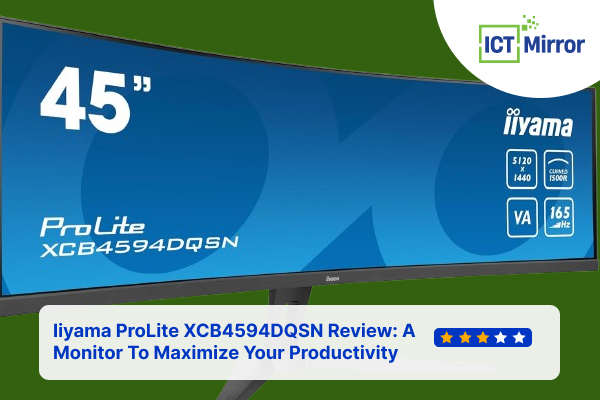
Iiyama ProLite XCB4594DQSN Review. Image Credit: Iiyama.
Are you ready for a new approach to your workspace and become more efficient? With Iiyama ProLite XCB4594DQSN, a 45-inch curved monitor will make your work more productive and entertainment more immersive.
This monitor is a pretty good pick among similar ultra-wide monitors. It features an advanced design, stunning DQHD resolution, vivid picture quality, and great multitasking performance.
This Iiyama ProLite XCB4594DQSN review will explain the monitor’s technical specs, the upside that makes it unique, and some downsides you must consider before purchasing. With that, let’s begin!
Design of ProLite XCB4594DQSN Monitor
XCB4594DQSN is a 45-inch productivity monitor by Iiyama. It has thin slab borders and good build quality.
The monitor can be adjusted for height, tilt, and pivot, but you cannot swivel it like other monitors with larger screen sizes.
As for the connectivity option, it has a USB C port with a 90W power delivery, a USB A hub, and a LAN port.
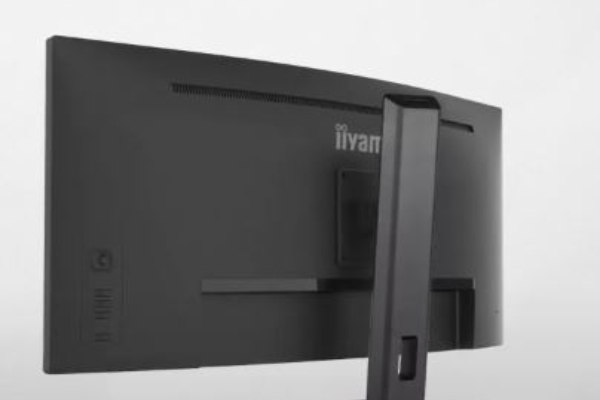
Iiyama ProLite XCB4594DQSN Review. Image Credit: Social Media.
HDMI and DisplayPort inputs enable the monitor to run at 5120 x 1440 resolution and up to 165Hz.
But getting it all ready can be challenging because it comes with sub-optimal default settings and an unintuitive touch screen. However, after being configured well, the performance delivers the best results.
ALSO READ: AOC CQ27G2X Review: A Budget-Friendly QHD Curved Gaming Monitor
Iiyama ProLite XCB4594DQSN Review: Features
Moving on to the features section of the Iiyama ProLite XCB4594DQSN review.
118 DPI Pixel Density: Provides better font rendering and clearer images, especially on macOS.
Punchy Visuals: Boasts of brightness and contrast provide a stunning image with 450 nits.
Basic HDR Support: SDR and HDR modes should be switched manually depending on the content, which might be uncomfortable.
1500R Curved VA Panel: The monitor’s 1500R curvature is perfectly synchronized with your field of view, and the VA panel provides bright, accurate colors and extensive viewing angles.
5120×1440 Dual QHD Resolution: DQHD resolution is clear and bright and is great for work, multitasking, or gaming.
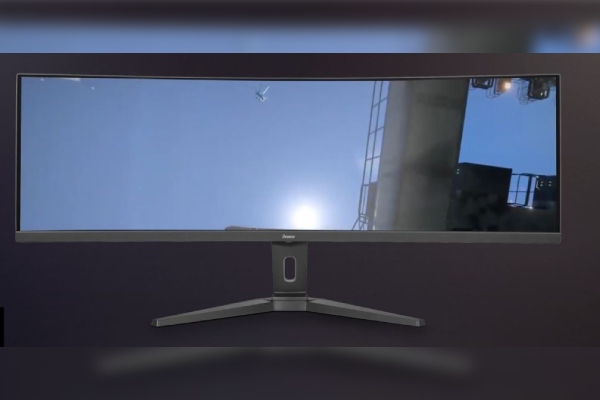
Iiyama ProLite XCB4594DQSN Review. Image Credit: Social Media.
165Hz Refresh Rate and 0.8ms Response Time: Gaming would offer an almost blur-free and seamless motion at this refresh rate and response time.
KVM Switch: The inbuilt KVM switch enables users to control multiple computers using just one monitor, mouse, and keyboard.
USB-C Dock: A single cable supplies your laptop with signals, power, and charging to keep the number of cables in your system at a minimum.
Automatic Wi-Fi Connection: When your laptop is hooked to a monitor, it automatically connects to Wi-Fi, saving you from fiddling with cables to connect to the internet.
The Iiyama ProLite XCB4594DQSN is ideal for office work, games, and multimedia.
Similarly, you can read LG UltraGear 32GS95UE Review: A Flat 32-Inch 4K Gaming Monitor
Technical Specifications
Let’s examine all the technical specifications of the Iiyama ProLite XCB4594DQSN review, which will give us a complete idea of the monitor.
| General | Specifications | Info |
| DISPLAY CHARACTERISTICS | Design | 3-side borderless |
| Diagonal | 44.5″, 113cm | |
| Panel | VA, matte finish | |
| Curved | 1500R | |
| Native resolution | 5120 x 1440 @165Hz | |
| Aspect ratio | 32:9 | |
| Panel brightness | 450 cd/m² | |
| Static contrast | 3000:1 | |
| Advanced contrast | 80M:1 | |
| Response time (MPRT) | 0.8ms | |
| Viewing zone |
| |
| Colour support | 16.7mln 8bit (sRGB: 100%; NTSC: 80%) | |
| Horizontal Sync | 30 – 260kHz | |
| Pixel pitch | 0.212mm | |
| Color | matte, black | |
| INTERFACES / CONNECTORS / CONTROLS | Signal input |
|
| USB HUB | x3 | |
| USB-C DOCK | x1 | |
| HDCP | yes | |
| Headphone connector | yes | |
| RJ45 (LAN) | x1 | |
| FEATURES | KVM switch | yes |
| Blue light reducer | yes | |
| Flicker-free | yes | |
| Adaptive Sync support | yes | |
| Extra | i-Style Colour | |
| HDR | 400 | |
| OSD languages | EN, DE, FR, ES, IT, PT, RU, JP, CZ, NL, PL | |
| Control buttons | Center (Menu/Execution), Down (i-Style Colour), Up (Input Select), Right (Volume), Left (ECO Mode), Power | |
| Speakers | 2 x 3W | |
| Convenience | Kensington-lock prepared, DDC/CI, DDC2B, Mac OSX | |
| MECHANICAL | Display position adjustments | height, tilt |
| Height adjustment | 130mm | |
| Tilt angle | 20° up; 3° down | |
| VESA mounting | 100 x 100mm, 200 x 100mm | |
| Cable management system | yes | |
| POWER MANAGEMENT | Power supply unit | internal |
| Power supply | AC 100 – 240V, 50/60Hz | |
| Power usage | 37W default | |
| SUSTAINABILITY | Regulations | CE, TUV-Bauart, EAC, PSE, RoHS support, ErP, WEEE, VCCI, REACH, UKCA |
| Reach Svhc | above 0.1%: Lead | |
| Other | REACH SVHC above 0.1%: Lead | |
| DIMENSIONS / WEIGHT | Product dimensions | 1090 x 409 x 275mm |
| Box dimensions | 1260 x 470 x 315mm | |
| Weight (without box) | 11.2kg | |
| Weight (with box) | 16.4kg |
Table Source: iiyama
You can buy Iiyama ProLite XCB4594DQSN from Amazon and Iiyama’s official site for $864 or €774.93.
Pros and Cons
Let us look at some of the merits and demerits of the Iiyama ProLite XCB4594DQSN review.
| Pros | Cons |
|
|
Table Source: Techradar
When you buy this monitor in the box, you will get different types of cable (Network, USB, HDMI, DP, USB-C), Commissioning guide, and Safety notes.
Check out our other article Xiaomi Redmi A27U Monitor Review: Features, Pros And Cons
Final Verdict
The productivity advantage of the Iiyama ProLite XCB4594DQSN large 45-inch ultrawide screen is undeniable.
It’s a good replacement for two 1440p monitors, offering more density, sharper fonts, and a huge workspace for multitasking.
The panel is reasonably thick, with a 165Hz refresh rate, decent response times for a VA screen, and a max brightness of 450 nits. It also manages some simple gaming and multimedia with fundamental HDR capability.
Connectivity is good, with USB-C, a LAN port, a KVM switch, and the standard HDMI port. On balance, it is better to use it to increase productivity.
The article on the Iiyama ProLite XCB4594DQSN review has been concluded. We will soon come with some monitors.
FAQs
Q. What is the Iiyama ProLite’s refresh rate?
A. The refresh rate of Iiyama ProLite is 165Hz.
Q. What is the resolution of Iiyama ProLite?
A. The resolution of Iiyama ProLite is 5120×1440 (DQHD).
Q. What is sRGB?
A. SRGB stands for “standardized Red, Green, Blue,” a color calibration standard.
ictmirror.com contains affiliate links. Meaning ictmirror.com receives commissions for purchases made through those links, at no cost to you.


Did you notice an error ?
Please help us make corrections by submitting a suggestion. Your help is greatly appreciated!
Top Related Articles
There are many variations available but the majority